HOW TO PUBLISH A GAME ON PLAY STORE AND APP STORE
Publishing a game on the Google Play Store and Apple App Store is a crucial step for game developers who want to reach a global audience. Whether you are an indie developer seeeking to launch your first mobile game or a professional game studio targeting large-scale distribution, understanding the complete publishing process is essential.
GAME PUBLISHING SOLUTIONS FOR ANDROID & IOS DEVELOPERS
Game publishing is not just about uploading an APK or IPA file. It involves compliance with platform policies, performance optimization, metadata preparation, and post-launch management.
Our game publishing approach focuses on helping developers successfully launch games that meet Google Play and Apple App Store standards. We assist with build configuration, store optimization, compliance checks, and launch strategies to ensure your game performs well after approval.
From casual games to high-performance multiplayer titles, a structured publishing process helps reduce rejection risks and improves store rankings.
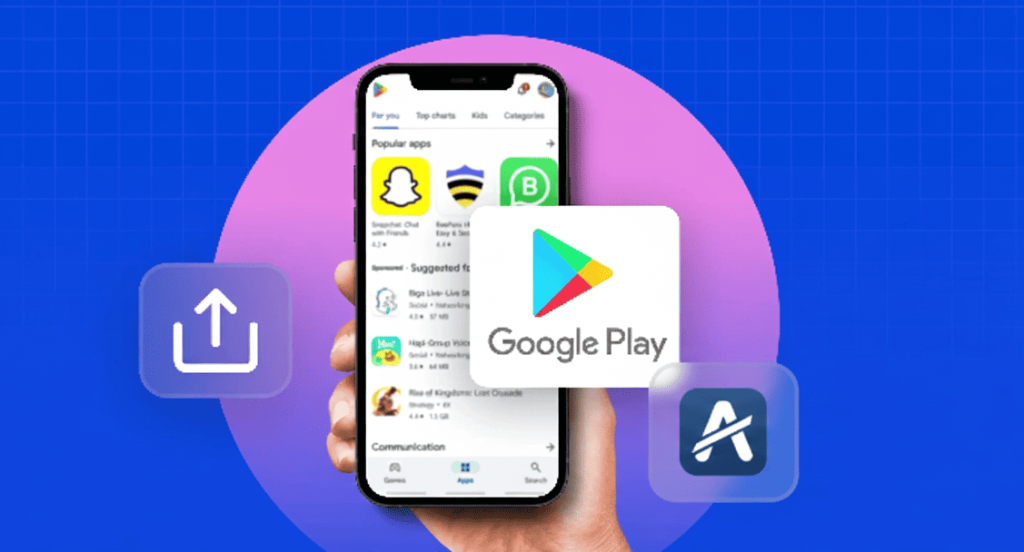
Essential STEPS to PUBLISH A GAME ON PLAY STORE AND APP STORE
Developer Account Setup
To publish your game, you must create official developer accounts. Google Play requires a one-time developer registration, while Apple requires an annual App Store developer subscription. These accounts allow you to upload games, manage updates, and track performance analytics.
Game Build Preparation
Your game must be properly built and tested for each platform. Android games require an AAB or APK file, while iOS games require an IPA build using Xcode. The game should be optimized for performance, screen sizes, and OS compatibility.
Store Listing Creation
Creating an effective store listing is essential for discoverability. This includes a compelling game description, high-quality screenshots, promotional videos, app icons, and feature graphics. Well-optimized listings improve search ranking and conversion rates.
Testing & Quality Assurance
Both platforms require thorough testing before submission. Google Play offers internal and closed testing tracks, while Apple uses TestFlight for beta testing. This ensures your game is stable, bug-free, and ready for public release.
Compliance & Policy Review
Your game must comply with content policies, data privacy regulations, and platform-specific guidelines. This includes age ratings, permissions usage, ads compliance, and in-app purchase rules.
App Submission & Review
Once all requirements are met, submit your game for review. Google Play reviews usually take a few hours to days, while Apple App Store reviews may take several days. After approval, your game becomes publicly available.
BEST GAME PUBLISHING SERVICES FOR DEVELOPERS IN INDIA
India is rapidly growing as a global game development hub. With millions of mobile gamers, publishing your game correctly can unlock massive opportunities.We support Indian and global developers with end-to-end game publishing solutions, including Android and iOS deployment, store optimization, and post-launch support. Our expertise ensures faster approvals, reduced rejection rates, and higher visibility across app stores.
Whether you are launching a hyper-casual game or a complex multiplayer experience, a professional publishing strategy helps your game stand out in competitive markets.

FEATURES REQUIRED BEFORE PUBLISHING A GAME
- Optimized Game Performance – Smooth gameplay, fast loading times, and broad device compatibility are critical for higher rankings and better user retention.
- Secure In-App Purchases – Platform-compliant and encrypted in-app purchase systems ensure safe transactions and improve store approval chances.
- Ads & Monetization Compliance – All advertisements must strictly follow Google Play and App Store policies to avoid app rejection or account suspension.
- Privacy & Data Protection – Clear privacy policies and transparent data handling build user trust and meet platform compliance requirements.
- SEO-Optimized Store Listing – Keyword-rich descriptions, compelling titles, and high-quality visuals help your game rank higher in app store search results.
- Post-Launch Update Strategy – Regular updates, bug fixes, and feature improvements increase engagement and long-term store visibility.

STEP-BY-STEP GUIDE HOW TO PUBLISH A GAME ON PLAY STORE AND APP STORE
Create Developer Accounts
Register on Google Play Console and Apple Developer Program. Complete identity verification, payment setup, and tax information.
Prepare Your Game Build
Export Android and iOS builds using your game engine such as Unity or Unreal Engine. Ensure proper SDK versions and signing certificates are used.
Configure App Details
Add game title, short description, full description, category, content rating, and privacy policy URL.
Upload Assets
Upload app icons, screenshots, feature graphics, preview videos, and promotional images that meet platform guidelines.
Testing & Review
Run internal tests, fix bugs, and submit the game for platform review. Monitor feedback and make required adjustments.
Launch & Monitor
After approval, publish your game and monitor downloads, reviews, crash reports, and revenue analytics.
KEY CHALLENGES in GAME PUBLISHING

- Store Rejections – Incorrect metadata, policy violations, or technical errors often cause games to be rejected during the review process.
- Device Compatibility Issues – Games must support multiple screen sizes, OS versions, and hardware configurations to ensure smooth gameplay across devices.
- Long Review Times – Incomplete submissions, missing information, or unclear app details can significantly delay approval, especially on the App Store.
- Low Visibility – Without proper App Store Optimization (ASO) and keyword targeting, games struggle to rank and gain organic installs.
- Monetization Errors – Improper ad implementation or non-compliant in-app purchases can result in app suspension or removal.
- Poor Performance Optimization – Crashes, lag, or long loading times reduce user retention and negatively impact store rankings.
- Negative User Reviews – Low ratings and unresolved user complaints decrease credibility and limit discoverability in app stores.
Frequently Asked Questions?
Google Play charges a one-time developer registration fee, while Apple requires an annual subscription to maintain app availability.
Google Play approval typically takes 1–3 days, while App Store reviews usually require 3–7 days, depending on complexity.
Yes, most developers publish the same game on both platforms using cross-platform engines like Unity or Unreal Engine.
The process is similar, but games require additional performance testing, graphics optimization, and device compatibility validation.
Yes, developers can release updates to fix bugs, improve performance, add features, and comply with new store policies.