How to Show Ads in Unity Game Complete Monetization Guide
This guide explains how to show ads in Unity game step by step, covering tools, SDK setup, ad formats, optimization strategies, and real-world best practices.
How to Show Ads in Unity Game
How to show ads in Unity game is one of the most important skills every game developer must master to monetize mobile and PC games successfully. Whether you’re building a casual hyper-casual game or a high-end 3D experience, ads can generate consistent revenue without charging players upfront.
In Unity, developers can integrate ads using Unity Ads, Google AdMob, or mediation platforms to maximize earnings across Android, iOS, and other platforms. The key lies in choosing the right ad format, placing ads strategically, and ensuring a smooth user experience.
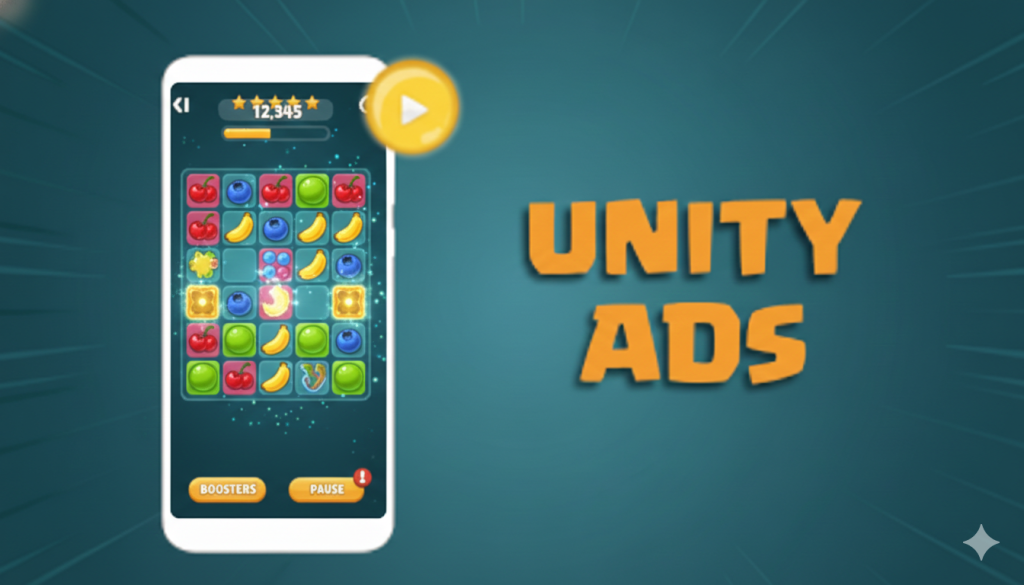
Essential Steps to Show Ads in Unity Game
Choose an Ad Network
Select the right ad network based on audience, geography, and goals, such as Unity Ads, AdMob, or mediation platforms for better fill rates and revenue.
Create Developer Accounts
Create required developer accounts including Unity Dashboard, ad network consoles, and app store listings to enable ad serving, payments, testing, and policy compliance across platforms.
Install the Ads SDK
Install the official ads SDK using Unity Package Manager to ensure compatibility, easy updates, stable performance, and fewer integration issues during development and production builds.
Configure Ad Placements
Configure ad placements strategically, deciding when and where ads appear, such as between levels, after game over, or as rewarded optional experiences for players retention.
Test Ads Properly
Implement and test ads in test mode on real devices to catch crashes, verify rewards, ensure correct callbacks, and avoid accidental policy violations during launch.
Optimize & Maintain Ads
Monitor performance, optimize formats and frequency, follow ad network policies, and update SDKs regularly to maximize revenue, user experience, and long-term compliance across game updates.
Ad Analytics & Performance Tracking in Unity Games
Understanding ad performance is a critical part of mastering how to show ads in Unity game effectively. Without proper analytics, developers rely on guesswork instead of data-driven decisions. Unity Ads, AdMob, and mediation platforms provide detailed metrics such as impressions, fill rate, eCPM, CTR, and revenue by country, platform, and ad format. Tracking these metrics helps you identify which ad placements perform best and which ones negatively impact player retention.
By integrating analytics tools like Unity Analytics, Firebase, or AdMob Reports, developers can continuously optimize ad frequency and placement. For example, if rewarded ads show high engagement but interstitials cause player drop-off, you can reduce interstitial frequency and focus on reward-based monetization.

Ad Policy Compliance & App Store Approval in Unity Games
When learning how to show ads in Unity game, understanding ad policy compliance is just as important as technical integration. Google Play Store and Apple App Store enforce strict advertising guidelines, especially around misleading ads, forced interstitials, and ads shown to children. Violating these policies can result in app rejection, limited ad serving, or even permanent account suspension.
Unity developers must clearly disclose ad usage, especially when using rewarded ads or personalized advertising. Games targeting younger audiences should comply with COPPA and GDPR regulations by disabling personalized ads and collecting consent where required. Ad networks like Unity Ads and AdMob provide built-in tools to manage compliance, but it is the developer’s responsibility to configure them correctly.
By prioritizing transparency and policy adherence, developers not only avoid store penalties but also build long-term player trust. Games that respect user privacy, show ads ethically, and follow platform rules tend to achieve higher retention and better monetization stability. Proper compliance ensures your Unity game remains publishable, scalable, and revenue-ready across global markets.

Best Ad Formats for Unity Games
Rewarded Video Ads
Players choose to watch ads in exchange for in-game rewards, boosting engagement, retention, and offering the highest eCPM without disrupting gameplay experience.
Interstitial Ads
Full-screen ads shown at natural breaks like level completion or game over screens, effective for revenue but should be limited to avoid user frustration.
Banner Ads
Small ads placed at the top or bottom of the screen, generating lower revenue and best suited for menus, lobbies, or non-gameplay screens.
Playable Ads
Interactive ads allowing users to try another game, delivering high engagement, strong conversion rates, and excellent performance in casual and hyper-casual games.
Native Ads
Ads blended naturally into the game interface, providing a non-intrusive experience and working well in stores, menus, or story-driven Unity games.
Offerwall Ads
Players complete multiple ad-based tasks or offers to earn rewards, ideal for reward-heavy games and maximizing lifetime value without interrupting core gameplay.
Frequently Asked Questions?
Ads allow free-to-play monetization without forcing purchases.
Yes, Unity Ads is free and revenue-share based.
Rewarded video ads usually generate the highest revenue.
Yes, through mediation platforms like AdMob or IronSource.
When implemented correctly, ads have minimal impact.