
How to Fix Indexing Errors in Search Console
If your pages are not appearing on Google, indexing errors are usually the reason. Learning how to fix indexing errors in Search Console is critical for improving rankings, organic traffic, and website visibility.
How to Fix Indexing Errors in Search Console
Google Search Console provides powerful insights into why pages are not indexed, but many website owners struggle to understand and resolve these errors correctly. In this in-depth guide, you’ll learn exactly how to identify, fix, and prevent indexing issues using Google Search Console following Google’s latest SEO and E-E-A-T best practices.
Whether you run a WordPress website, blog, or business site, this guide will help you get your pages indexed faster and ranked higher.
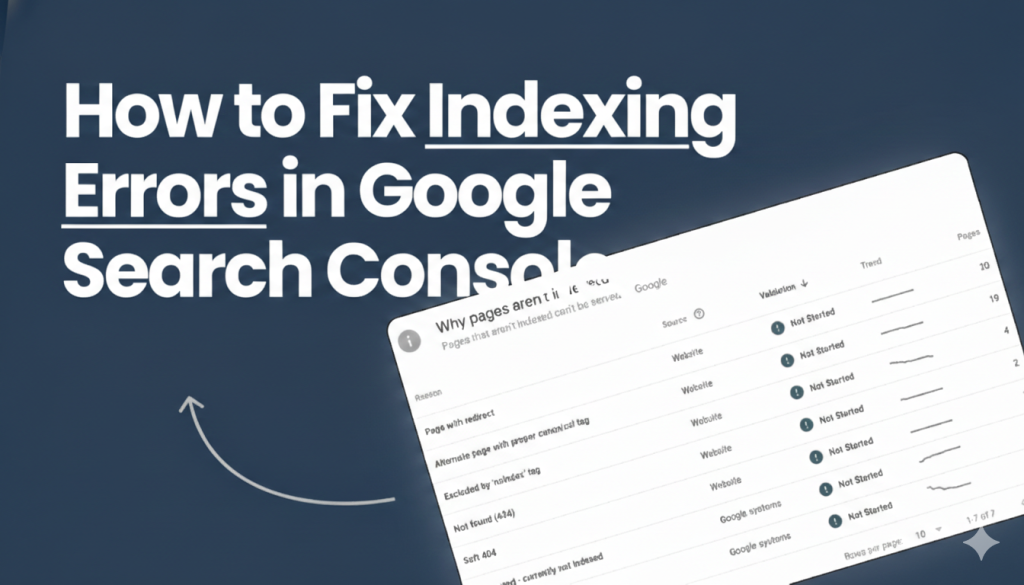
How to Find Indexing Errors in Google Search Console
Log in to Google Search Console
Sign in to your Google Search Console account using the verified email connected to your website to access indexing and performance reports.
Select Your Website Property
Choose the correct website property from the property list to ensure you are analyzing indexing data for the right domain or URL version.
Navigate to Pages Indexing
Open the Pages section under Indexing to view how Google crawls, indexes, or excludes your website pages.
Review Indexing Status Categories
Check the Errors, Valid, and Excluded sections to understand which pages are indexed and which are facing indexing problems.
Analyze Affected URLs
Click on any specific issue to see affected URLs, Google’s explanation, and technical details causing the indexing error.
Start Fixing Indexing Errors
Use this report as a roadmap to fix content, technical, or crawl issues and improve your website’s overall search visibility.
Common Indexing Problems and Their Solutions
Common indexing problems happen when Google can’t properly crawl or trust a page. Thin content, duplicate pages, noindex tags, and weak internal linking are major causes. Crawl budget limits and slow server speed also delay indexing. These issues reduce search visibility and rankings.
Solutions focus on improving content quality and technical SEO. Remove incorrect noindex tags and fix duplicate content. Set proper canonicals and strengthen internal links. Monitor Google Search Console regularly to ensure pages get indexed.

Types of Indexing Errors in Search Console
Crawled – Currently Not Indexed
Indicates content quality, duplication, or internal linking issues that prevent Google from indexing the page.Discovered – Currently Not Indexed
Shows crawl budget, site structure, or server performance problems delaying Google from crawling the page.Excluded by ‘noindex’ Tag
Pages are blocked from search results due to an active noindex directive, often added by mistake.Duplicate Without User-Selected Canonical
Google finds similar pages and chooses its own canonical, causing loss of ranking control and SEO signals.Soft 404 Errors
Pages exist but provide low-value or thin content, leading Google to treat them as non-existent or unhelpful.

Types of Indexing Errors in Search Console
Inspect the URL
Use the URL Inspection Tool to check indexing status, canonical URL, crawlability, and mobile usability. Request indexing if the page is eligible.
Fix Noindex Issues
Check Rank Math settings on pages or posts and ensure indexing is enabled by removing noindex meta tags blocking search engine visibility.
Improve Content Quality
Create original, in-depth content with at least 800 words, clear headings, optimized images, and relevant internal and external links for better indexing.
Fix Duplicate Content
Set proper canonical URLs in Rank Math, avoid targeting identical keywords on multiple pages, and use redirects to consolidate duplicate pages.
Improve Internal Linking
Link important pages from high-authority content using descriptive anchor text and ensure no orphan pages exist for faster discovery by Google.
Submit XML Sitemap
Enable XML sitemap in Rank Math and submit it through Google Search Console to help Google quickly discover and index new or updated pages.
Best Practices to Get Pages Indexed Faster
1. Publish High-Quality Content Regularly
Consistently publish original, valuable, and in-depth content to encourage frequent crawling and improve Google’s trust in your website.
2. Build Topical Authority
Create multiple related articles around one topic to establish authority, helping Google understand your expertise and index pages faster.
3. Earn DoFollow Backlinks
Get backlinks from trusted, relevant websites such as official documentation or authority blogs to speed up discovery and improve indexing signals.
4. Update and Refresh Old Content
Regularly update existing pages with fresh information, improved structure, and new links to trigger re-crawling and re-indexing.
5. Maintain Clean Technical SEO
Ensure fast loading speed, proper internal linking, clean URLs, correct canonicals, and error-free technical SEO to help Google index pages efficiently.

Frequently Asked Questions?
Indexing doesn’t guarantee ranking. Improve content quality, backlinks, and search intent alignment.
It can take from a few hours to several weeks depending on site authority and crawl budget.
No. Google decides based on content quality and site signals.
Yes. Unindexed pages bring zero organic traffic.
Yes, it’s a free and essential SEO tool.